
How a Motion Simulator Works — In Plain English
A SymDynamics motion simulator is not just a seat that shakes. It is a complete system that listens to what the game is doing, translates that into meaningful movement, and then drives the hardware so your body feels what your eyes see on screen.
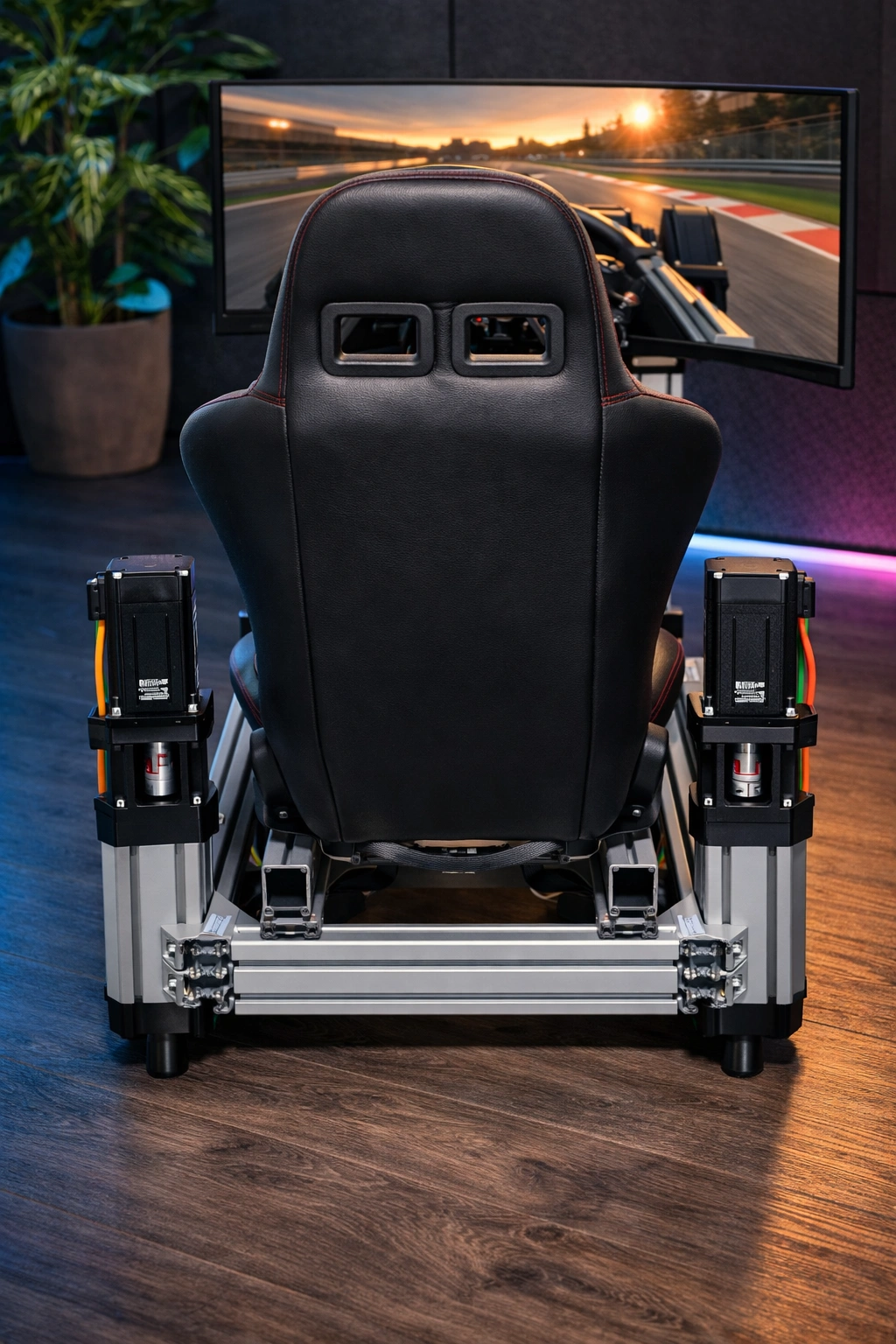
What the actuators actually do
An actuator is the part that creates movement. In simple terms, it is the machine that lifts, lowers, tilts, and reacts under the simulator.
When you brake hard, turn into a corner, hit a bump, or accelerate out of a bend, the actuator changes position very quickly and very precisely. That movement is what gives you the feeling that the car or aircraft is alive underneath you.
It does not try to throw you around randomly. It makes small, intelligent movements that trick your body into sensing weight transfer, road texture, traction loss, heave, pitch, and roll.
Layman version
Imagine four strong, fast legs under the rig. Each leg can move up or down on command. By moving one leg, two legs, or all of them together, the simulator can:
- tip forward when braking
- lean backward on acceleration
- lean left or right in corners
- kick or vibrate over kerbs and bumps
- create texture and road feel
That is the core idea behind motion simulation.
Why motion feels realistic
Realism does not come from giant movement. It comes from the right movement at the right moment. The rig only needs to move enough for your brain and body to believe what the screen is showing you.
That is why a good system focuses on:
- fast response
- good tuning
- smooth control
- repeatable precision
Why SymDynamics uses a full system approach
The experience depends on more than just motors. The software, electronics, controllers, and mechanics all have to work together properly. When those layers are matched well, the simulator feels connected, predictable, and immersive instead of noisy or chaotic.
How all the parts work together
Below is the simple flow from game data to real physical motion.
1. The game
The game knows what the vehicle is doing. It knows the speed, acceleration, braking force, direction changes, bumps, engine behaviour, suspension reactions, and much more.
That raw information is the starting point. Without this data, the simulator would have nothing meaningful to react to.
2. Dynamic Hub software
Dynamic Hub reads the telemetry from the game and converts it into motion commands. This is where the magic happens.
The software decides what movement should be felt, how strong it should be, how fast it should happen, and how the different effects should be blended together so the motion feels natural instead of exaggerated.
3. STM interface boards
The STM interface boards act like the communication bridge between the PC software and the motion hardware. They receive the movement instructions and pass them on quickly and reliably.
You can think of them as the real-time coordinators. They keep the system responsive and ensure the correct commands reach the correct motion channels.
4. Motor controllers
The motor controller is the power manager and precision driver. It takes the target movement command and turns it into controlled electrical power for the motors.
It is responsible for making the motor move accurately, hold position, react fast, and remain stable under load.
5. Motors and actuators
The motors provide the force. The actuator mechanism converts that motor force into useful linear movement that lifts or lowers the rig.
This is the physical output stage. It is where digital instructions become movement you can actually feel through the seat, pedals, wheel, and chassis.
6. You, the driver
Your eyes see the game, your hands feel the controls, and your body feels the rig moving underneath you. When all those signals line up, your brain accepts the experience as far more real and immersive.
That is what separates playing from truly feeling the drive.
The system as one sentence
The game produces the data, Dynamic Hub decides what motion to create, the STM interface boards pass the commands along, the motor controllers drive the motors, and the actuators move the simulator so you can feel the vehicle.
Every part matters. If one layer is poor, the whole experience suffers. When all the layers are tuned together, the simulator feels sharp, believable, and deeply immersive.
Why this gives a better simulator experience
- more believable braking and acceleration feel
- clearer sense of cornering load and balance
- better feeling for bumps, kerbs, and surface detail
- more connection between what you see and what you feel
- a more natural, less artificial motion response